Every week, we talk to marketing teams who are producing great AI-optimized content with GeoCraft. Their articles are ranking in search. They're getting cited by AI answer engines. The content strategy is working.
But there's a bottleneck nobody talks about: the last mile.
The article is ready. It's been reviewed, optimized, and approved. Now someone has to log into WordPress, create a new post, copy the content over, fix the formatting, re-upload the featured image, manually enter the SEO metadata, assign the right categories, and hit publish.
For one article, it's a minor annoyance. For teams publishing 10, 20, or 50 articles a month across multiple sites, it becomes a real operational drag. And it's entirely unnecessary.
The gap between "content created" and "content live"
We started hearing this pattern from customers six months ago. Their content pipelines were sophisticated — AI-generated drafts, human review workflows, GEO optimization for both traditional search and AI engines. But the publishing step was still manual. Copy-paste. Format. Upload images. Enter meta fields. Every. Single. Time.
Some teams built custom API integrations. That worked, but it required a developer to set up and maintain. Most marketing teams don't have a developer sitting around waiting to build internal tooling.
We decided to close that gap ourselves.
What the plugin actually does
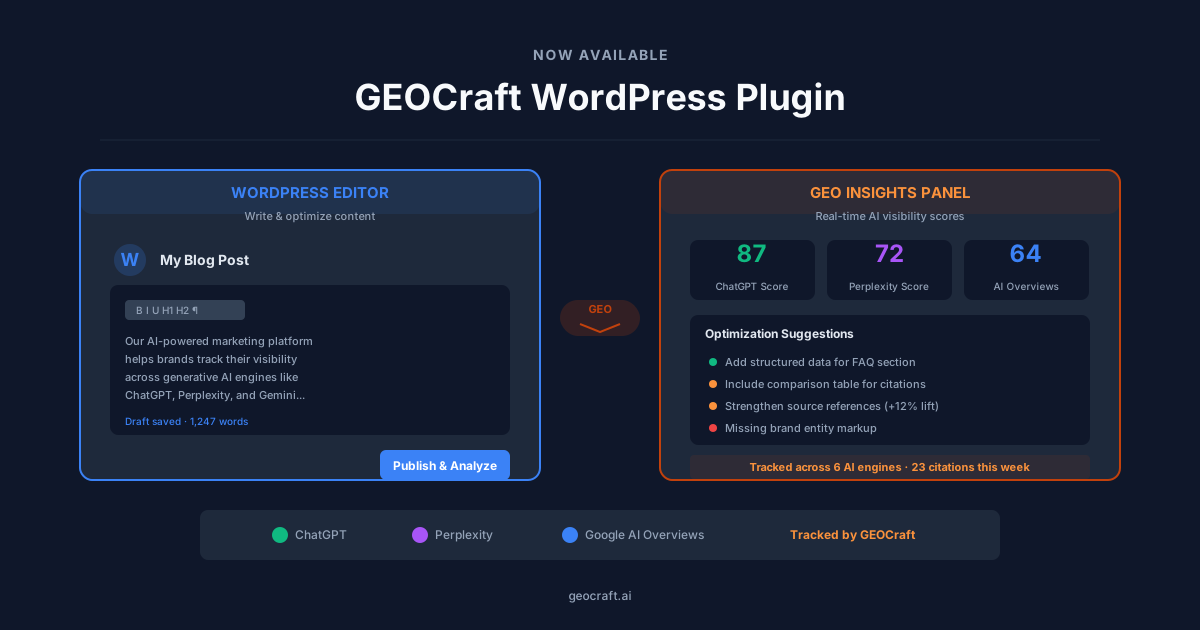
The GeoCraft WordPress plugin creates a direct connection between your GeoCraft workspace and your WordPress site. Once connected, publishing works like this:
- You finish and approve an article in GeoCraft
- You click "Publish to WordPress"
- The article appears on your site — formatted, with images attached, SEO metadata populated, and categories assigned
That's the whole workflow. No tabs to switch between. No reformatting. No copy-paste errors where a heading level gets lost or an image doesn't transfer.
The details that matter
We spent a lot of time on the things that seem small but cause the most frustration:
SEO metadata transfers automatically. If you're using Yoast, RankMath, or All in One SEO, the plugin populates your focus keyphrase, meta title, meta description, and schema markup. This was non-negotiable for us — the entire point of GEO-optimized content is that the metadata matters. Losing it in a copy-paste workflow defeats the purpose.
Featured images just work. The plugin downloads and attaches your hero image to the WordPress media library and sets it as the featured image. No manual upload step.
Your site's taxonomy is respected. Map your GeoCraft content categories to your WordPress categories and tags once, and every future article lands in the right place. Set it and forget it.
You choose when it goes live. Publish immediately, save as draft for review, or schedule for a future date using WordPress's native scheduling. Your editorial calendar, your rules.
Analytics close the loop. Pageview and engagement data flows back to your GeoCraft dashboard, so you can measure content performance without switching tools.
Who this is for
We built this for the marketing manager who doesn't have a developer on speed dial. The content strategist who's tired of the copy-paste ritual. The agency that manages content across multiple client WordPress sites and needs a faster path from creation to publication.
If you're already using GeoCraft to create content, this plugin removes the last manual step in your pipeline.
Getting started
The plugin is free to install from the WordPress Plugin Directory. You'll need an active GeoCraft subscription to connect it.
Setup takes about two minutes: install, enter your API key, and you're publishing. We wrote a setup guide that walks through every step, but honestly, most people won't need it.
What's next
This is version one. We're already working on bulk publishing for teams that produce content at scale, deeper analytics integration, and multi-site management for agencies. If there's a feature you'd like to see, let us know.
The gap between creating great content and getting it in front of your audience should be zero. That's what this plugin is about.
The GeoCraft WordPress plugin is available now. Get started →